Introduction: Elementor Free vs Elementor Pro – Which One Is Right for You?
If you’re planning to build a WordPress website, you’ve probably heard about Elementor – one of the most popular page builders in the world. With its drag-and-drop interface, pre-made templates, and beginner-friendly tools, Elementor has made website designing easier for everyone.
But the big question is:
👉 Should you stick with Elementor Free, or is Elementor Pro worth upgrading to?
In this guide, I’ll compare both versions in detail and help you decide which one is best for your needs.
1. What Is Elementor Free?
Elementor Free is the basic version of the plugin that allows you to build pages using drag-and-drop without any coding. It’s ideal for beginners, students, or hobby websites.
What you get in Elementor Free:
Drag-and-drop builder
Basic widgets (Heading, Text, Image, Button, Video)
Basic templates and blocks
Responsive editing
Basic design customizations
Global colors and typography
Simple layouts
Best for:
Personal blogs
Simple websites
Practice websites
Landing pages
Students learning WordPress
In short:
Elementor Free is perfect for getting started, but it’s limited when you need advanced features.
2. What Is Elementor Pro?
Elementor Pro is the advanced version with powerful premium features that help you build fully professional websites.
What you get in Elementor Pro:
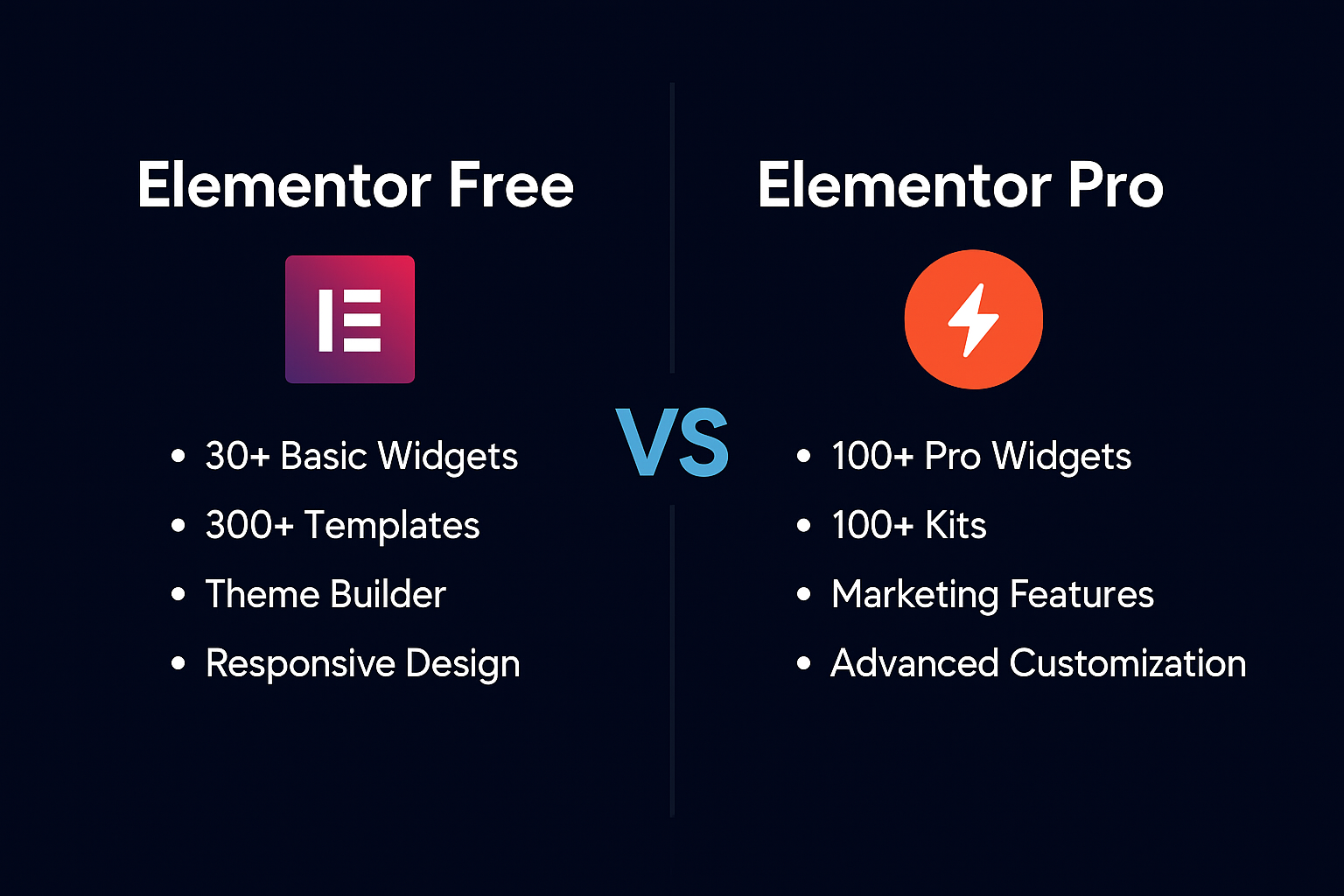
80+ Pro widgets (Forms, Slides, Posts, Gallery, Pricing Table)
300+ Pro templates & website kits
Theme Builder (Header, Footer, Single Post, Archive Pages)
Popup Builder
WooCommerce Builder
Custom CSS
Advanced motion effects
Loop Builder
Dynamic content
Integration with marketing tools (MailChimp, HubSpot, etc.)
Best for:
Business websites
Ecommerce stores
Freelancers and agencies
Professional portfolio websites
Service-based websites
High-conversion landing pages
In short:
If you want full control over your website and want to create professional-level designs, Elementor Pro is the better choice.
3. Elementor Free vs Elementor Pro – Side-by-Side Comparison
| Feature | Elementor Free | Elementor Pro |
|---|---|---|
| Page Builder | ✔ Available | ✔ Advanced features |
| Widgets | 30+ basic | 80+ pro widgets |
| Templates | Basic blocks & pages | 300+ premium kits |
| Theme Builder | ❌ Not available | ✔ Full site editing |
| Header & Footer Builder | ❌ No | ✔ Yes |
| Forms Widget | ❌ No | ✔ Yes (Contact forms, lead forms) |
| Popup Builder | ❌ No | ✔ Yes |
| Motion Effects | Basic | Advanced animations |
| WooCommerce Builder | ❌ No | ✔ Yes |
| Custom CSS | ❌ No | ✔ Yes |
| Support | Community support | Premium support |
| Ideal For | Beginners | Professionals & businesses |
4. When Should You Use Elementor Free?
Choose Elementor Free if:
You are just learning WordPress
You’re building a simple blog
You need a basic landing page
You don’t need custom headers/footers
You are not designing for clients yet
This version is great for:
✔ Students
✔ New bloggers
✔ Personal site owners
✔ Practice projects
You can always upgrade later.
5. When Should You Upgrade to Elementor Pro?
Upgrade to Elementor Pro if you want to:
Create custom headers & footers
Build modern service websites
Add contact forms without extra plugins
Build complete WooCommerce stores
Create dynamic templates
Create popups, banners, newsletter boxes
Use premium website kits
Sell your web design services professionally
Elementor Pro is almost a must-have for:
✔ Web designers
✔ Freelancers
✔ Agencies
✔ Ecommerce owners
✔ Service providers
✔ Portfolio websites
If you are doing client projects, Elementor Pro makes your designing 10× faster and more powerful.
6. My Personal Experience (Honest Opinion)
I started with Elementor Free, and it was great for learning. But once I began creating professional websites, I realized its limitations.
Here’s what changed after upgrading to Elementor Pro:
I could build headers & footers without any theme limitations.
I created full pages in minutes using Pro templates.
Dynamic features made blogs and ecommerce sites easier.
Clients instantly liked the professional layouts.
My workflow became faster, cleaner, and more flexible.
If you are doing freelance work or client websites, Elementor Pro pays for itself quickly.
7. Elementor Free vs Pro -Which One Should You Choose?
Here’s the simple answer:
✔ Choose Elementor Free if:
You’re just practicing
You don’t need advanced features
Your website is very simple
You’re not building websites for clients yet
✔ Choose Elementor Pro if:
You want a professional-looking website
You’re working with clients
You want to customize everything
You want to build faster & save time
You want premium widgets and templates
🎯 Final Thoughts
Both Elementor Free and Elementor Pro are powerful, but for serious website building, Elementor Pro gives you more control, flexibility, and features that help you create professional designs.
If you’re someone who wants to grow as a web designer, build client websites, or create high-quality business sites, Elementor Pro is definitely worth it.
As you continue learning and experimenting, Elementor will become even more powerful – and upgrading to Pro will open up a whole new level of creativity.
Need a WordPress Website?
I build fast, modern, and professional Elementor websites for businesses and bloggers.
Contact me today to get started!
Frequently Asked Questions (FAQs)
1. Is Elementor Free enough for a complete website?
Yes, Elementor Free is enough for building simple and fully functional websites like blogs, portfolios, landing pages, and basic business sites.
You get the drag-and-drop builder, basic widgets, global colors, and responsive editing.
But if you want advanced features like theme builder, forms, popup builder, or WooCommerce builder, then Elementor Pro is recommended.
2. What are the main differences between Elementor Free and Elementor Pro?
The main differences are the advanced features available in Pro.
Elementor Pro includes:
Theme Builder (header, footer, single post)
Popup Builder
Forms Widget
WooCommerce Builder
80+ Pro widgets
300+ templates
Advanced motion effects
Custom CSS
Loop builder
Premium support
Elementor Free gives only basic widgets, simple templates, and limited design options.
3. Do I need Elementor Pro for WooCommerce?
If you want to create a fully customized WooCommerce store, then yes, Elementor Pro is highly recommended.
It gives you:
WooCommerce Product Page Builder
Cart & Checkout templates
Shop page customization
Product widgets
Custom layouts
With Elementor Free, you can still build pages, but WooCommerce layouts cannot be deeply customized.
4. Is Elementor Pro worth the money?
Yes, Elementor Pro is worth it if you are:
building websites for clients
creating business websites
designing conversion-focused landing pages
running an eCommerce store
wanting full control over your site
Pro saves time, gives professional design options, and helps you build faster with more flexibility.
5. Can I switch from Elementor Free to Pro later?
Yes, you can upgrade anytime.
After purchasing Elementor Pro, simply install the Pro plugin → connect your license → and all Pro features will unlock instantly without affecting your existing pages.
6. Will Elementor Free slow down my website?
No, Elementor Free by itself does not slow down your website.
Performance depends on:
your hosting
image optimization
number of plugins
page size
Elementor also provides performance updates regularly, and with good hosting your site loads fast.
7. Can I create a header and footer using Elementor Free?
No.
The Header & Footer Builder is only available in Elementor Pro.
With Pro, you can design:
custom header
custom footer
sticky header
transparent header
mobile menu
With Elementor Free, your theme controls the header/footer layout.
8. Can I create landing pages using Elementor Free?
Yes!
Elementor Free is perfect for basic landing pages, including:
lead generation pages
service pages
portfolio pages
simple sales pages
But if you want forms, A/B testing, popups, animations, or advanced layouts → you’ll need Elementor Pro.
9. Is Elementor difficult for beginners?
No, Elementor is one of the easiest page builders for beginners.
It uses drag-and-drop editing, live preview, and ready-made templates, making it simple for students and new web designers.
10. Can I build client websites using Elementor Free?
Yes, but only for very basic client websites.
If you want to offer professional services, performance optimization, and advanced features, Elementor Pro gives you better tools to deliver high-quality client sites.